Take it
a few bars at a time.
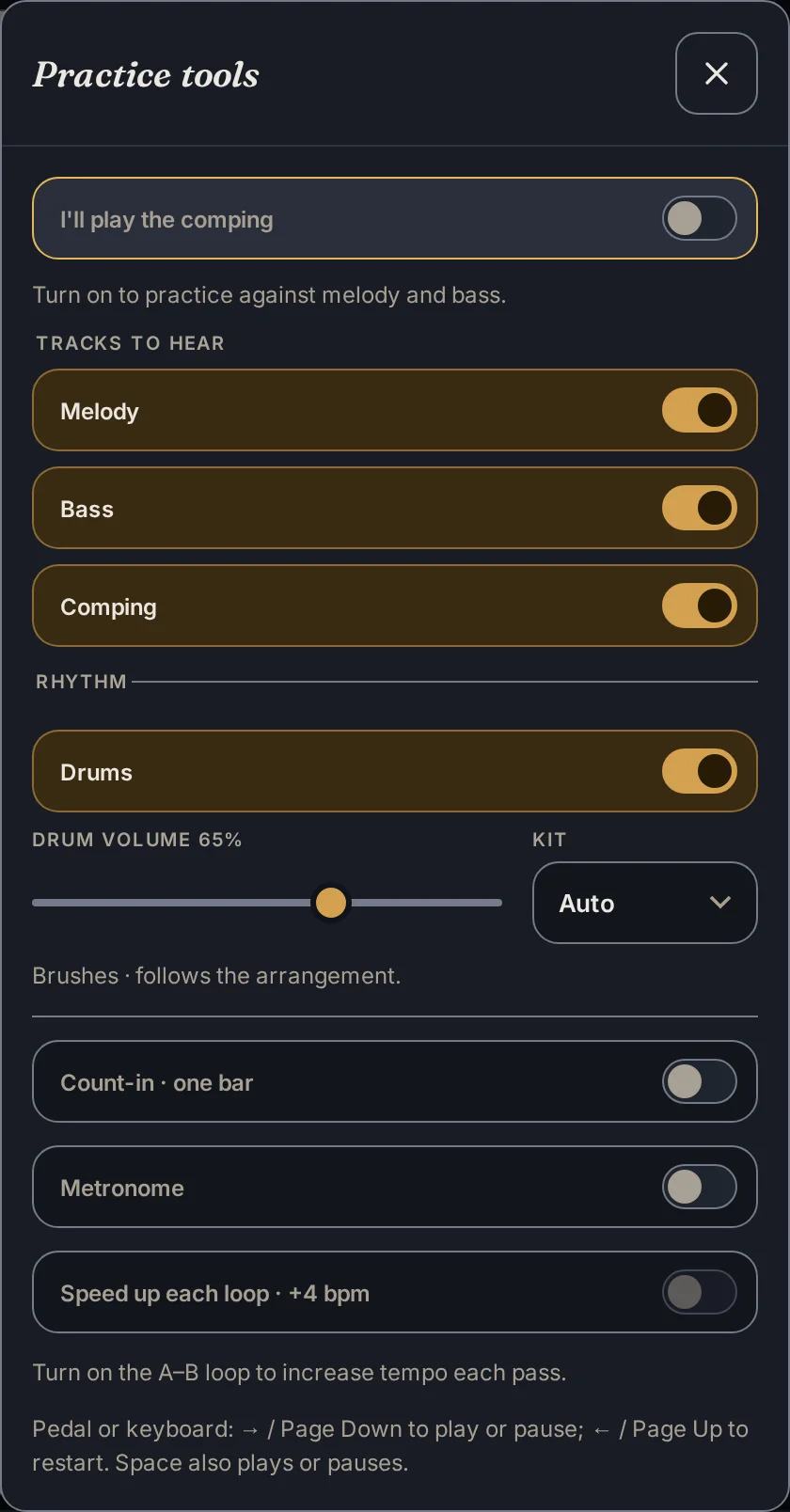
Set a loop. Bring the tempo down. Add a count-in, and let the bass and drums keep you company.
Choose sticks or brushes, adjust the drum volume, and decide which parts you want to play yourself.
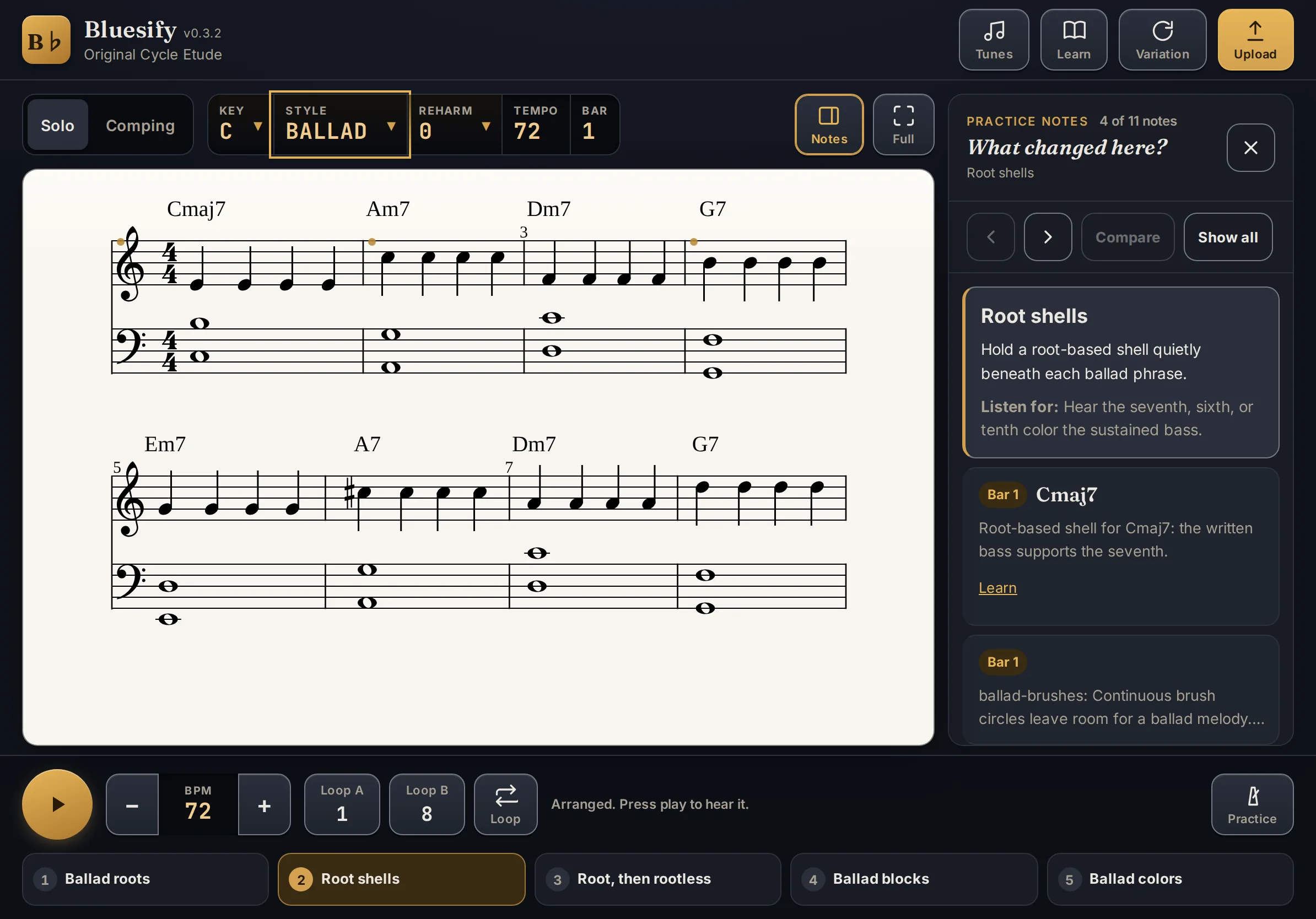
Turn a melody or chord chart into jazz and blues piano at five levels. Then practice it with a moving score, bass, drums, and a note on every choice.
Free to play. No account needed.

Start with a built-in tune, paste a chord chart, or upload MusicXML or MIDI.
Ballad, Swing, Jazz blues, Shuffle, or Slow blues. Choose Level 1 to 5, then explore the Reharm dial.
Follow the cursor, loop a few bars, and slow down. Count in, then play over comping with bass and drums.
Hear how a simple melody grows into an arrangement. Chord symbols, five levels, and the controls you need sit right beside the music.
Set a loop. Bring the tempo down. Add a count-in, and let the bass and drums keep you company.
Choose sticks or brushes, adjust the drum volume, and decide which parts you want to play yourself.
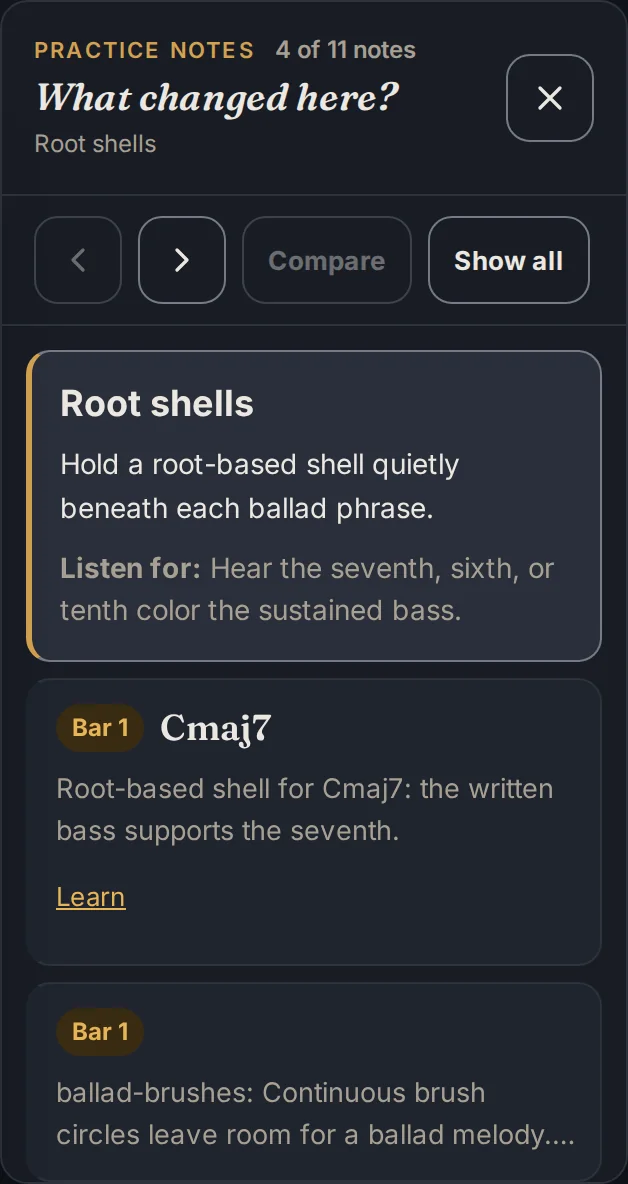
Practice notes explain the voicing, bass movement, and musical choices in each bar. One practical cue gives you something to listen for next time through.
Compare the levels to hear what changes as you go.
Open Learn for short lessons on guide tones, rootless voicings, comping, and more. Read the idea, hear the example, then take it back to your tune.
Explore Bluesify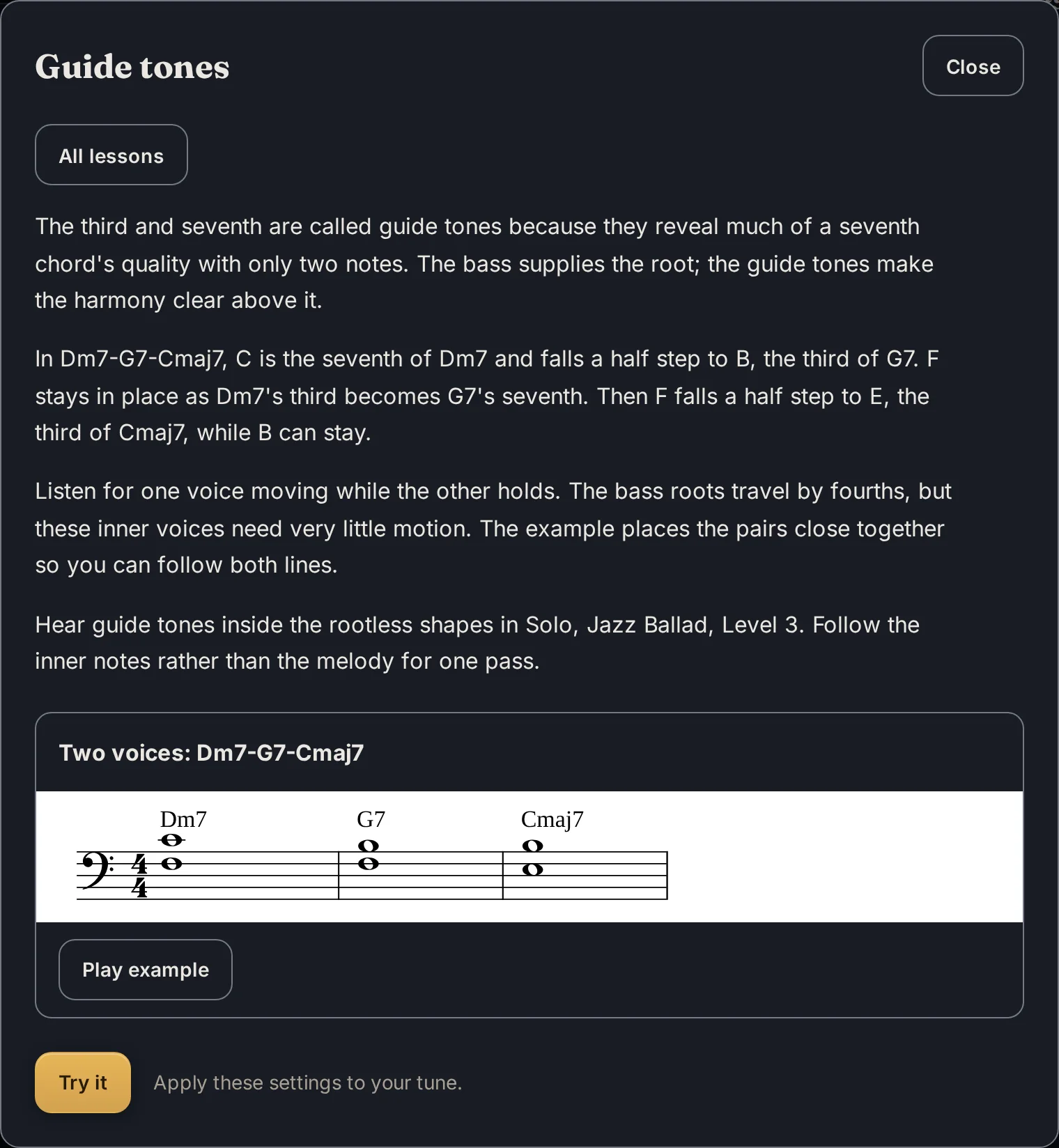
One root, twelve chord qualities, lit on the keys.
A small taste of the harmony under your hands.
The arrangement engine and practice tools are free. Sign in for a small personal library. Premium is coming soon.
| At the piano | FreeNo account needed to play | PremiumComing soon |
|---|---|---|
| Arranging, practice, playback, drums & Learn | Included | Included |
| Your chord charts & MusicXML / MIDI uploads | IncludedUnsaved tunes clear on reload | Included |
| My libraryTunes & practice settings, across devices | 3 saved tunesWith a free account | Unlimited |
| Ask the teacherComing soon | 3 questions a dayWith a free account, when available | 50 questions a day |
| Public Domain Song AnthologyComing soon · availability varies by region | Free samplesWith a free account, when available | All 348 songsWhere available |
No subscription needed to make music today.
Open BluesifyYes. Arranging, playback, practice tools, drums, and Learn are free, with no account required. A free account lets you save three tunes with their practice settings. Premium is coming soon.
Upload a MusicXML lead sheet (.musicxml, .xml, or .mxl) or a MIDI file (.mid or .midi). You can also paste a chord chart or choose a built-in tune. A clear melody and chord symbols give the arranger the best starting point.
Yes. Bluesify is built for iPad at the piano, in Safari and Chrome, with large touch controls and a score you can follow. You can also use it on your desktop or phone.
Bring music you have the right to use. The built-in tunes are public domain or originals. You remain responsible for the music you upload and how you use an arrangement.
Without an account, unsaved tunes clear when you reload. Saved library tunes and account details are stored with Cloudflare. Signing in shares your email address and Google account id, not your name or photo. You can delete your account and saved tunes from the app.
Read the Privacy policyBring a tune. Find your level. Play.